Hero Features
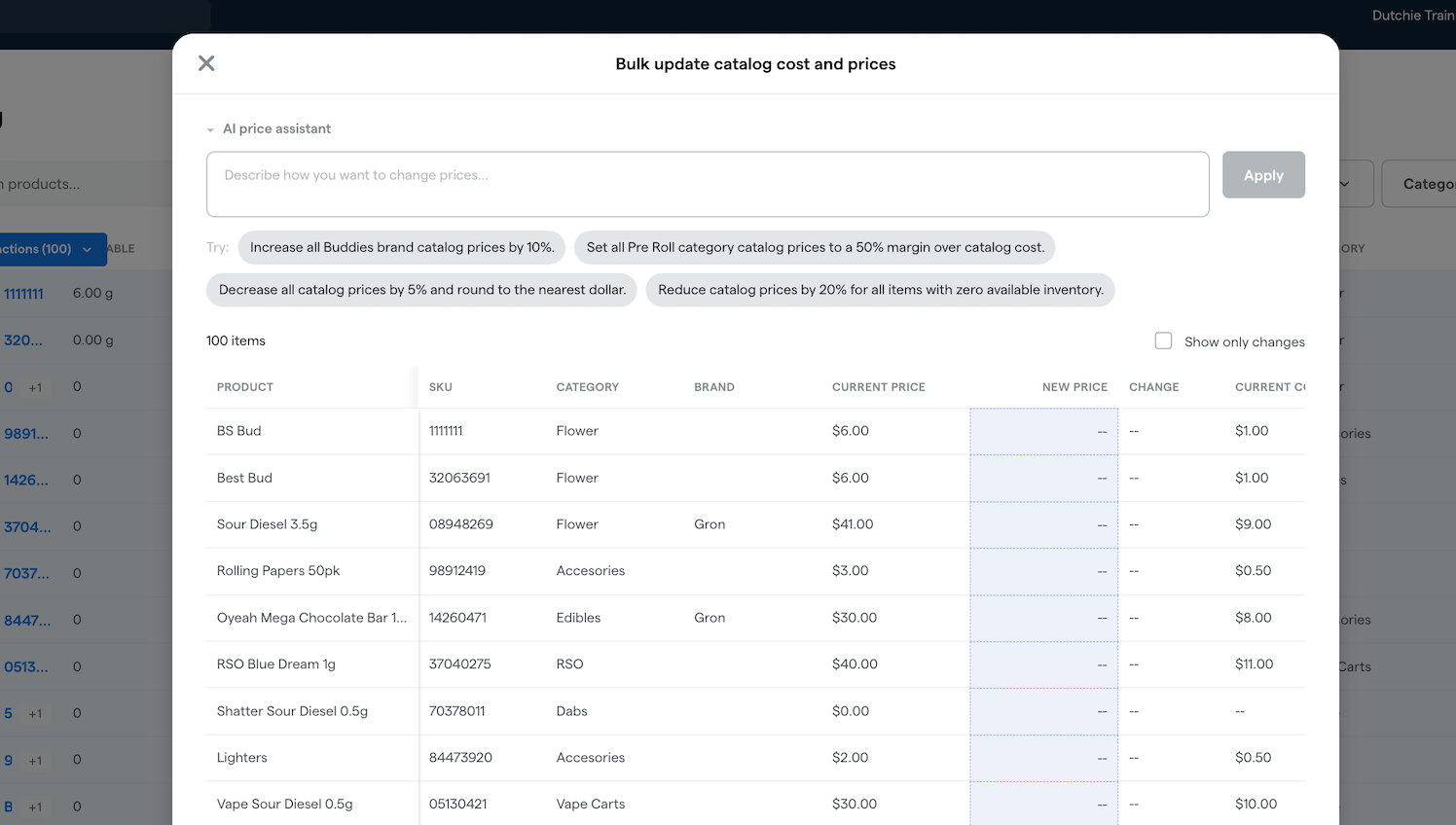
Bulk Price Updates
Update pricing and cost across hundreds of products or packages in a single workflow, without leaving the back office. Select the items you want to change, describe the update in plain language, like "raise all Flower by 10%" or "set a 40% margin over cost," and review every proposed change in an editable grid before you save. Prefer to work offline? Export your current prices to CSV, edit in any spreadsheet tool, and reimport to apply the changes in bulk. Every safeguard you rely on for single-product edits, including large-change warnings, zero-price alerts, and validation against negative values, applies at scale.
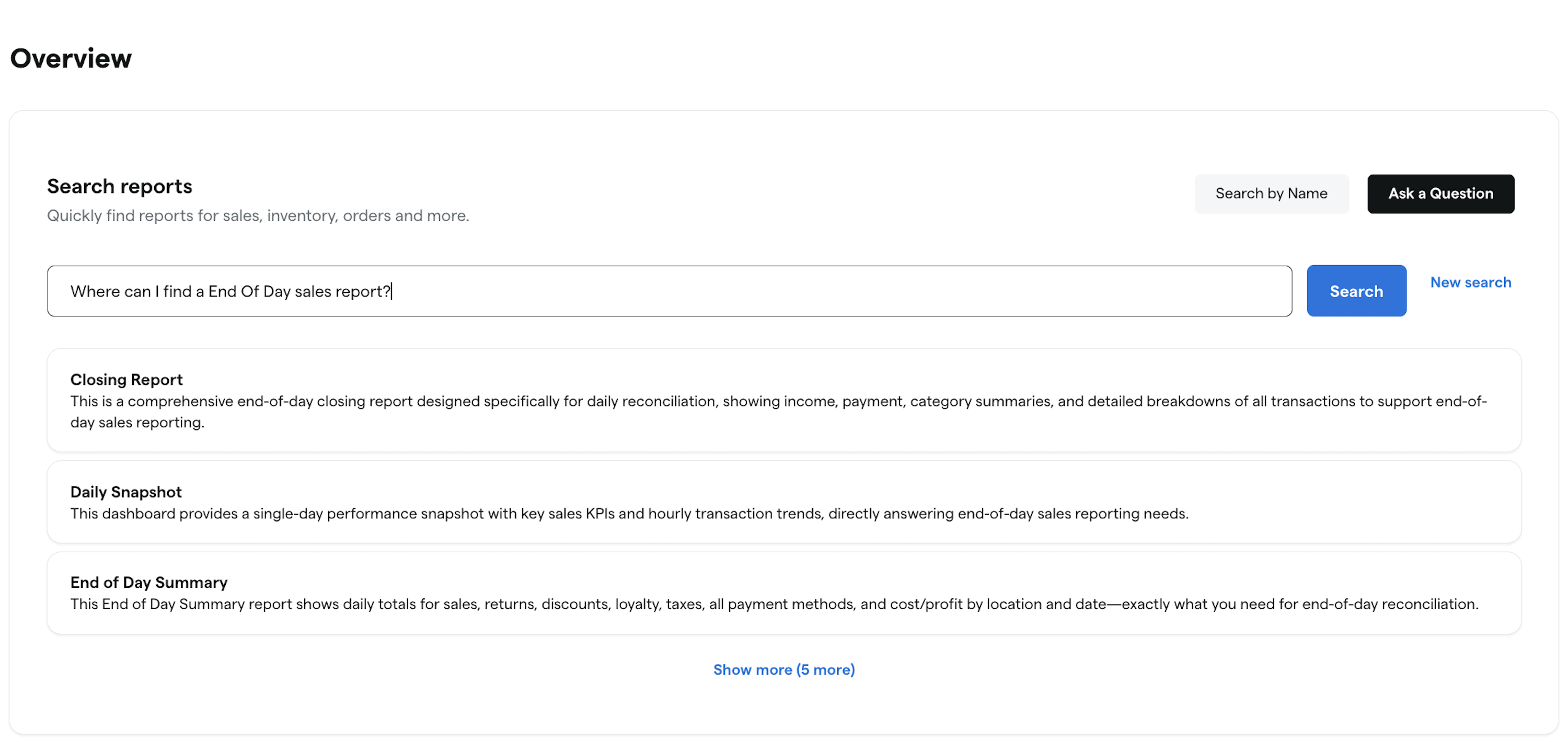
AI-Powered Report Discovery for Reports Overview
Finding the right report should not require knowing the right name. The new Reports Overview brings intelligent search and recommendations into the back office, so anyone on your team can describe what they are looking for in plain language and surface the most relevant reports instantly. New managers, multi-role staff, and seasoned operators all get to insights faster, with less friction and less hunting through menus.
Product Batches Enhancements
Experience a more intuitive way to manage your inventory with our new centralized Batches experience. We have moved batch management into the Products section, making it easier to discover and edit batch names or strain details while preventing duplicate entries. This update introduces a dedicated Batch Detail page with visual bar charts for your top cannabinoids and terpenes. It also features a cross-location view that shows every package tied to a batch across all your storefronts in a single window.
E-Commerce
Customer Data
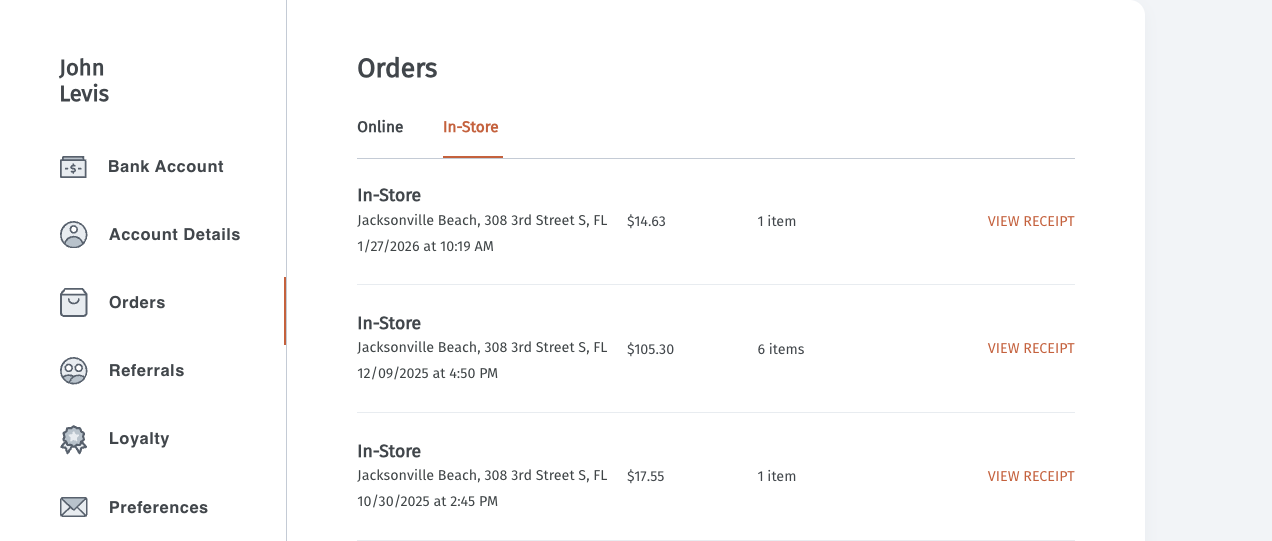
Unified Order History
Close the gap between your physical and digital storefronts. Every in-store purchase is now automatically reflected in a customer's unified purchase history, allowing them to see their complete transaction record whether they shop online, on the app, or at the register. By centralizing this data, you provide shoppers with a single, clear view of their favorite products and total spend across every channel.
Admin
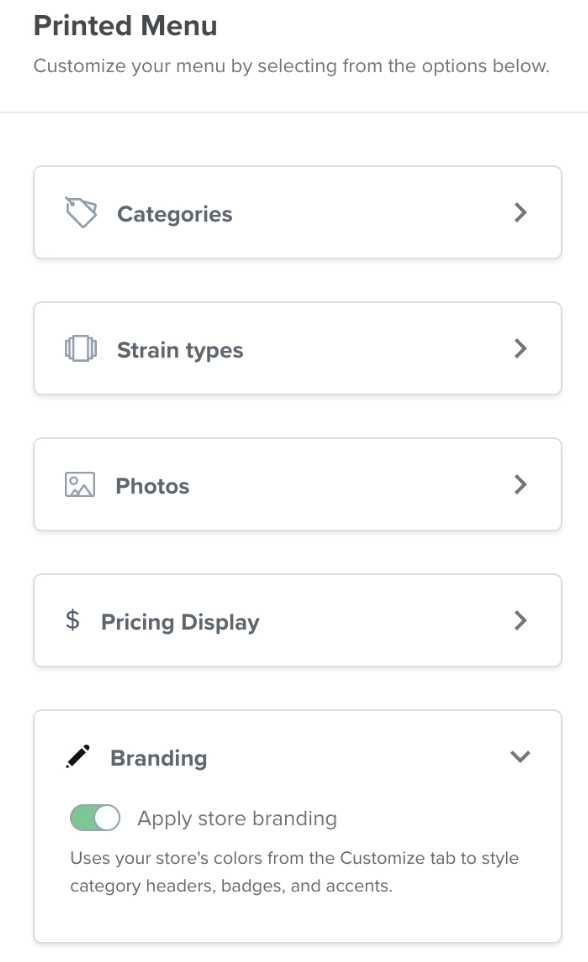
Printed Menus
New Printed Menus and Mobile Friendly Customize Tab
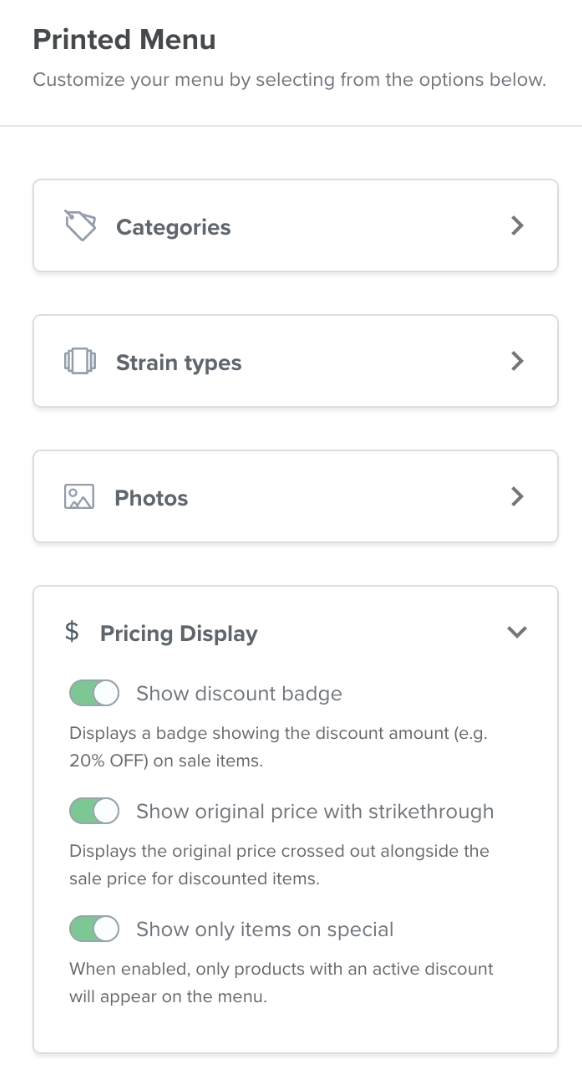
Run your storefront from anywhere and bring your digital brand into the physical store. The E-Commerce Admin is now fully responsive on tablet and mobile, so managers can update banners, swap images, or adjust layouts from the floor. New printed menu controls include a Daily Specials filter for one-click promo sheets, show/hide options for discount badges and strikethrough pricing, store branding in PDF headers and category labels, and automatic sub-category page breaks for clean, organized handouts.
Mobile App
Acquisition
Refer a Friend in Mobile App
Turn loyal shoppers into your best marketing channel. Customers can now share a referral link with friends directly from your Dutchie-powered mobile app, and earn rewards when those friends make their first purchase. It's a native, low-cost acquisition channel that drives repeat visits from existing customers and brings new shoppers into your store through word-of-mouth.
POS
Catalog
Image Reordering
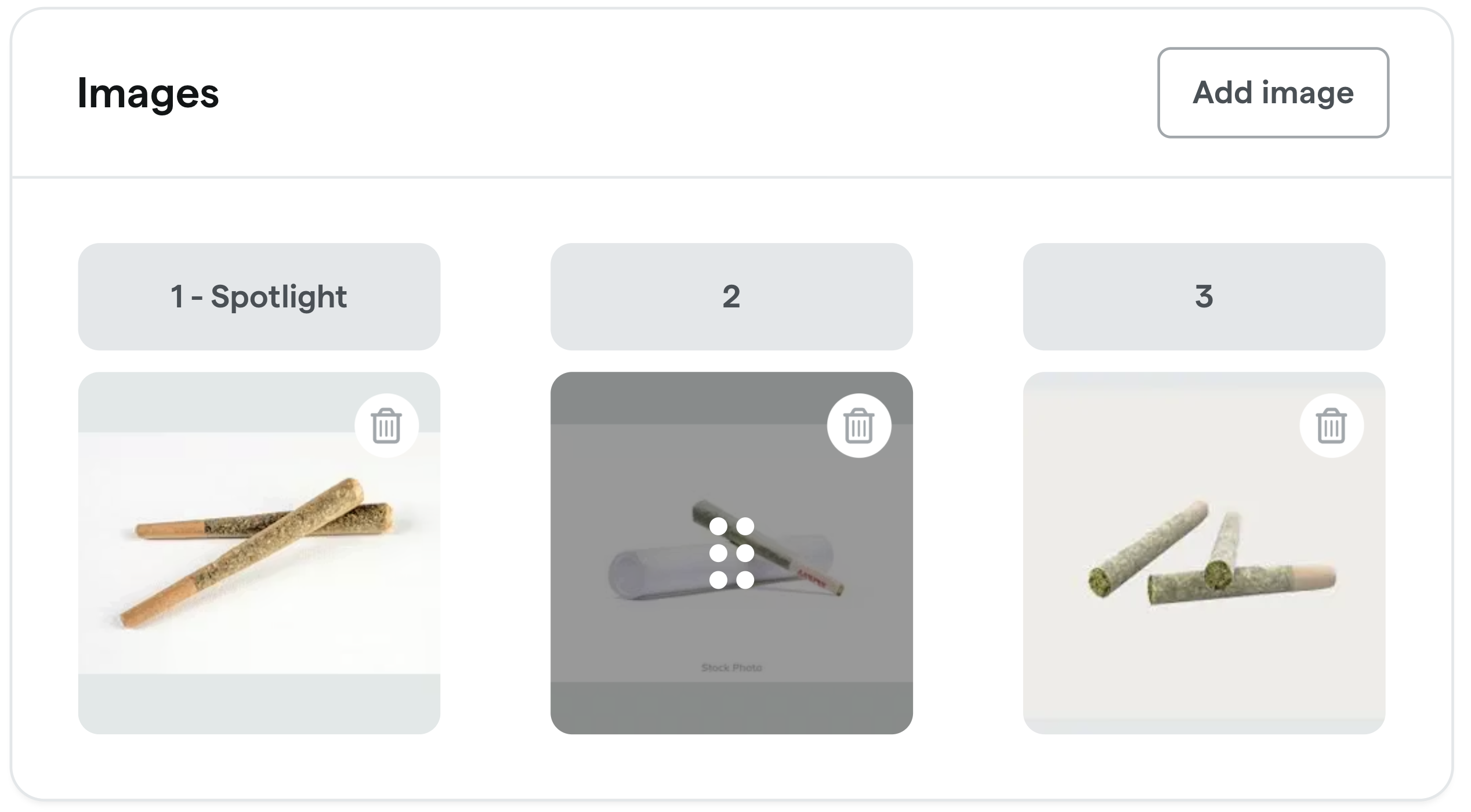
Take full control of how your products appear to your shoppers. You can now drag and drop to reorder product images directly in the POS Catalog and easily set any image as the primary one customers see first on your menus. No more deleting and re-uploading just to get the display order right. This update gives you a fast, intuitive way to manage product imagery and ensure your best visuals are always front and center.
Loyalty & Marketing Pro
Segments
Audience Targeting
New Purchase and Campaign Events in Segments
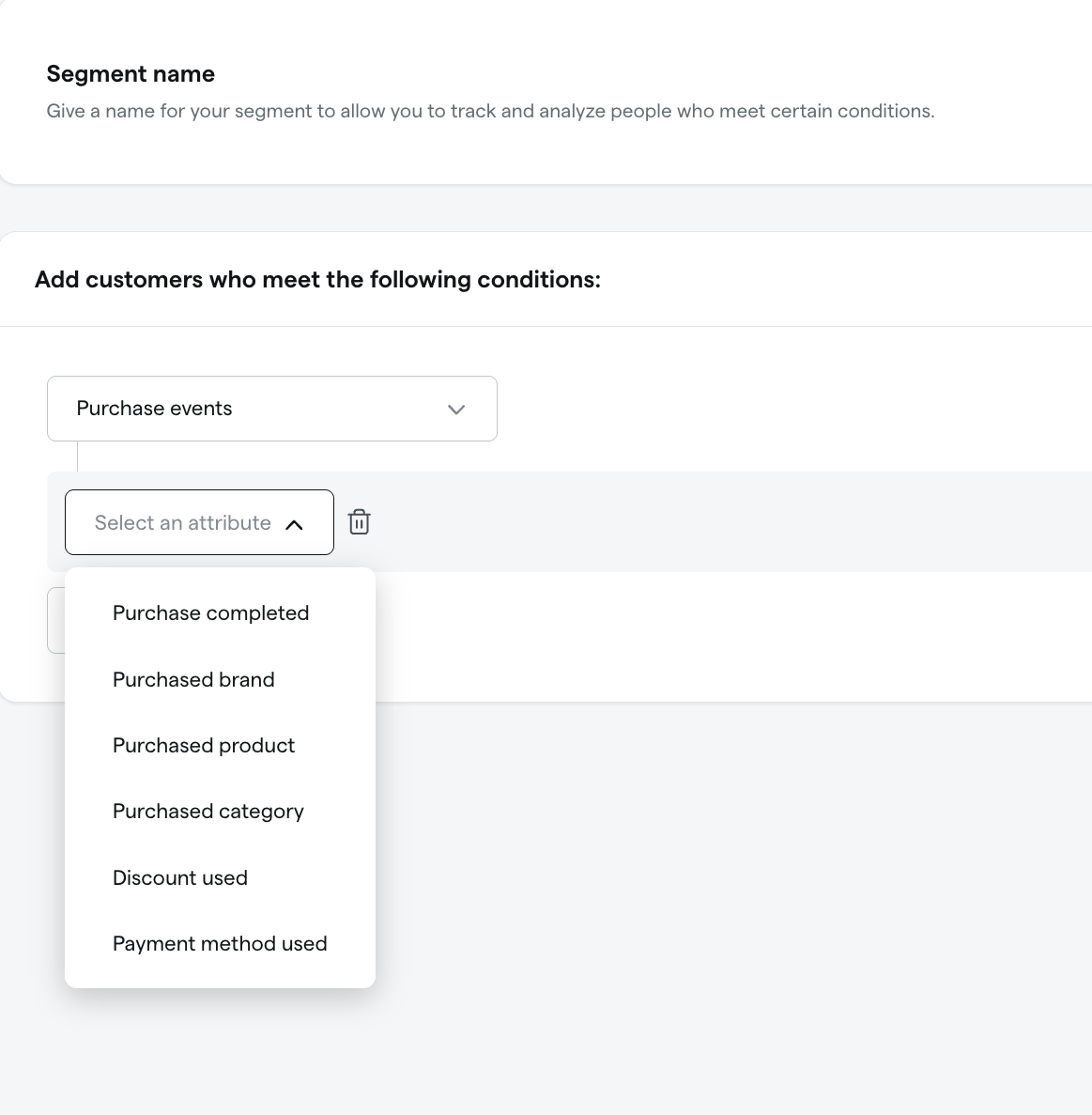
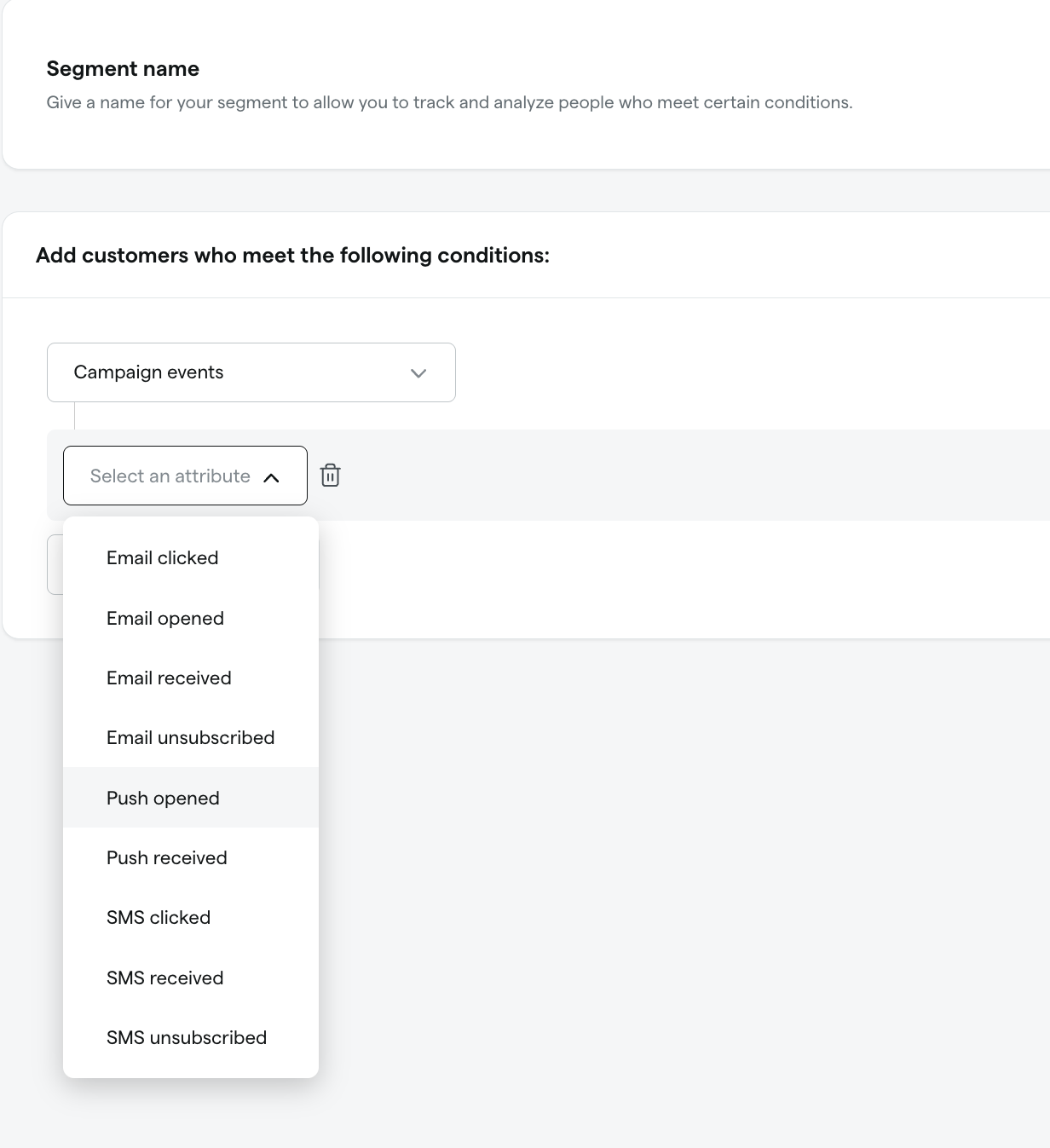
Build sharper audiences with deeper purchase and campaign signals. New event data is now flowing into Segments, giving you more precise ways to filter customers by what they bought and how they engaged with your campaigns. The result is more accurate targeting, more reliable analytics, and richer inputs for every audience you build.
Referrals
Access Controls
Revoke and Reinstate Referrals
Protect the integrity of your referral program with granular access controls. You can now revoke referral access for specific individuals who abuse the system without having to pause the entire campaign. This action hides the referral page across all markets without impacting the customer's existing loyalty points, and you can reinstate access at any time.
4/20 2026
4/20/26
The biggest sales day in cannabis history.
The Calendar Effect
~2.5x
Volume vs. typical Monday
The Surge
~3x
Cashless payment adoption
The Basket
~4
Items per basket, up ~50%